Wix vs Wix Studio vs Studio: Pricing, Features and Which to Choose (2026)
Wix, Wix Studio and Studio (studio.design) sound alike but are three different products. We compare pricing, CMS limits, multilingual support, collaboration, e-commerce, support, data portability and AI features from official sources, then explain which fits which team and when a move to Webflow makes sense.
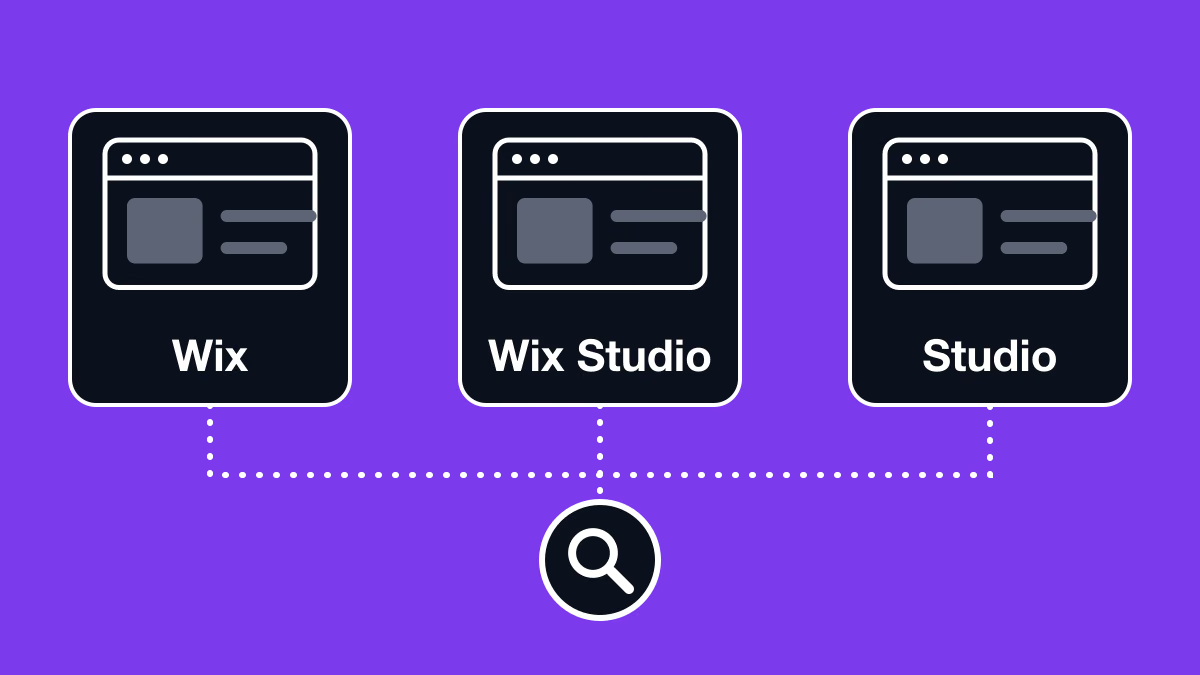
Table of contents
“Wix Studio” and “Studio” sound almost identical, but they are unrelated products. On top of that, Wix itself comes in two flavors: standard Wix and the professional Wix Studio. This article compares the three tools that people most often mix up, using official sources, and explains how to choose between them. Prices and features were checked on each vendor’s official pages on 9 November 2026.
Short answer: Wix, Wix Studio and Studio are three different products
- Wix: Wix.com’s website builder for individuals and small businesses. You build with drag and drop, and online store and booking features are available.
- Wix Studio: Wix.com’s platform for agencies and enterprises. It is built for team production and multi-site management, with real-time co-editing, custom CSS and developer tools.
- Studio (studio.design): a no-code website builder developed by Studio Inc. in Japan, formerly written “STUDIO”. It is known for design freedom and Japanese-language support, and it has nothing to do with Wix.
In other words, Wix and Wix Studio are the beginner and professional products of the same company, while Wix Studio and Studio only share a name.
Comparison table: Wix vs Wix Studio vs Studio
| Wix | Wix Studio | Studio (studio.design) | |
|---|---|---|---|
| Vendor | Wix.com | Wix.com | Studio Inc. (Japan) |
| Main audience | Individuals and small businesses | Agency and in-house teams | Companies and creators who prioritize design |
| Pricing currency | JPY on the Japanese pricing page (tax excluded, full term billed upfront); varies by region | JPY on the Japanese pricing page (tax excluded, full term billed upfront); varies by region | JPY, per site, billed yearly or monthly |
| Entry paid plan (Japan) | Personal, ¥1,300/mo | Basic, ¥1,400/mo | Mini, ¥590/mo yearly (2 pages + 404 page) |
| Typical plan for a company site (Japan) | Business, ¥2,700/mo | Plus, ¥2,500/mo | Business, ¥3,980/mo yearly or ¥5,460/mo monthly |
| Page limit | 298 pages in total, up to 100 static | 298 pages in total, up to 100 static | 300 pages on Business |
| CMS limit | Not listed on the pricing page | 20,000 items on Plus | 10 models and 5,000 items on Business |
| Multilingual | Wix Multilingual (manual or automatic translation) | Wix Multilingual (manual or automatic translation) | No dedicated feature (separate pages per language or external services) |
| Collaboration | Up to 10 site collaborators on Business | Simultaneous editing, roles and permissions, comments | No cap on invited users (may become unstable above 50) |
| E-commerce (checkout and payments) | From Small Business | From Standard | Not built in (embed an external service) |
| Site export | No (must be hosted on Wix; CMS exports to CSV) | No (must be hosted on Wix; CMS exports to CSV) | No (no export of design, source code or CMS data; form responses export to CSV) |
| AI features | AI creation tools on all plans; Wix Harmony with the Aria AI agent is rolling out | Built-in AI tools such as AI-assisted responsive design | Editor AI (image editing, text generation, auto-responsive layouts); Studio.Assistant at extra cost |
| Security and admin | SSO, IP restrictions and audit logs on Enterprise | SSO, IP allowlist and audit logs on Enterprise | IP address restriction on Enterprise. In October 2026 Studio Inc. disclosed that customer data may have been exposed through unauthorized access (official notice, Japanese) |
| Best fit | Individuals and small businesses who want to start quickly | Agencies and companies running several sites as a team | Japanese-speaking teams who care most about design freedom |
All of these are plan fees the vendor charges per site. If you hire an agency, its production fees are separate.
What is Wix (the standard editor)?
Wix is a website builder that lets people without technical knowledge create a site with drag and drop. Its About page says it is used by over 300 million people worldwide. Hosting, templates, SEO and marketing features, online stores and bookings all come in one service.
In January 2026 Wix launched a new editor, Wix Harmony. According to the Wix Help Center, it is being rolled out gradually alongside the classic Wix Editor, and Wix still recommends Wix Studio for projects that need advanced design or code (Velo).
What is Wix Studio, and how does it differ from Wix?
Wix Studio is Wix.com’s platform for agencies and enterprises. The main differences from standard Wix are:
- Team production: in the Studio Editor, several people can edit the same site at the same time. You can set roles, permissions and the pages each person may edit, and every page has its own comments panel.
- Design and development freedom: it supports custom CSS and adding functionality with code through Velo.
- Multi-site management: a workspace keeps multiple sites and clients in one place.
Switching to Wix Studio costs nothing extra; you buy a Wix Studio plan for each site. Existing Wix sites are not moved to the Studio Editor automatically, though (see the FAQ).
What is Studio (studio.design)?
Studio is a no-code website builder developed and run by Studio Inc. in Japan. It promotes designing freely without writing code. More than 9,200 fonts are available, including Morisawa (TypeSquare) and Google Fonts, which suits Japanese-language sites.
Pricing is per site and starts with a free plan. The official site showcases corporate, recruiting and service sites, while online store checkout and payments are not built in.
Pricing comparison (as of November 2026)
All prices below were checked on the official pricing pages on 9 November 2026. Always confirm current prices and terms on the official pages.
Wix pricing
The Japanese pricing page (ja.wix.com) shows monthly equivalents; the full amount for the term you choose is billed upfront, and tax is not included. Plan names, prices and currency differ by region: the English plans page (wix.com/plans) shows other plan names and local currency depending on where you are.
| Plan (Japan) | Displayed monthly price | Highlights |
|---|---|---|
| Personal | ¥1,300 | 2 site collaborators, 2GB storage |
| Small Business | ¥2,300 | 5 site collaborators, 50GB storage, online payments |
| Business | ¥2,700 | 10 site collaborators, 100GB storage, online payments |
| Business Prime | ¥13,500 | 100 site collaborators, unlimited storage |
Every plan includes a free custom domain for one year, removal of Wix branding and 24-hour customer care. You can start building for free, but connecting your own domain requires a paid plan.
Wix Studio pricing
| Plan (Japan) | Displayed monthly price | Highlights |
|---|---|---|
| Basic | ¥1,400 | 3 site collaborators, 10GB storage, 1,500 CMS items |
| Standard | ¥2,100 | 5 site collaborators, 50GB storage, 4,000 CMS items, online payments |
| Plus | ¥2,500 | 10 site collaborators, 120GB storage, 20,000 CMS items, online payments |
| Elite | ¥12,000 | 100 site collaborators, unlimited storage, 10,000,000 CMS items |
| Enterprise | On request | Unlimited site collaborators, SSO, dedicated account manager |
Billing works as on Wix: the full term upfront, with tax excluded.
Studio pricing
| Plan | Yearly (per month) | Monthly | Highlights |
|---|---|---|---|
| Free | ¥0 | ¥0 | 50 pages, 3 CMS models, 5GB storage |
| Mini | ¥590 | ¥1,290 | 2 pages + 404 page, custom domain, GA and GTM integration |
| Personal | ¥1,190 | ¥1,720 | 150 pages, 5 CMS models |
| Business | ¥3,980 | ¥5,460 | 300 pages, 10 CMS models and 5,000 items, 100GB storage |
| Business Plus | ¥9,980 | ¥12,900 | 300 pages, 30 CMS models and 15,000 items, priority support |
| Enterprise | On request | On request | 99.9% SLA, IP address restriction, bank transfer |
Hiding the Studio banner and connecting a custom domain are available from the Mini plan. Unlike Wix, Studio does not include a free domain. Workspace plans for managing several projects together are contracted separately from site plans.
Pages, CMS and storage limits
- Wix and Wix Studio: a site can have up to 298 pages in total, of which up to 100 can be static. Each dynamic page counts as one page, and CMS items do not count toward the total. On Wix Studio, CMS items range from 1,500 to 10,000,000 and storage from 10GB to unlimited, depending on the plan. The standard Wix Business plan includes 100GB of storage.
- Studio: the Business plan allows 300 pages, 10 CMS models with 5,000 items, and 100GB of storage. Business Plus raises this to 30 models and 15,000 items.
Multilingual support
- Wix and Wix Studio: Wix Multilingual translates the site manually or automatically. Each language can have its own text, images and SEO settings, and visitors switch languages from a language menu. The main site language cannot be changed once set.
- Studio: there is no dedicated multilingual feature. The official help center describes four approaches: separate pages per language in one project; separate projects per language published on subdomains; separate projects joined as subdirectories through the Custom Proxy add-on (¥39,800/mo, Business Plus and above); or an external translation service.
Team collaboration and version history
- Wix: the Business plan allows up to 10 site collaborators.
- Wix Studio: several people can edit the same site in real time, and others’ changes appear within seconds. It supports roles and permissions, page-level editing restrictions and page comments. For code, multiple collaborators can work at once in the Wix IDE, but only one person at a time can use the code editor. The plan comparison also lists version control for tracking changes made by teammates.
- Studio: there is no cap on the number of users you can invite to a project, but the help center notes that it may become unstable with more than 50 members. Version history saves and restores snapshots of the site; retention ranges from 1 day on Free to 120 days on Business and 360 days on Business Plus.
E-commerce and integrations
- Wix: from the Small Business plan, you can run an online store with payments such as credit cards and convenience-store payments in Japan. App Market apps add more functionality. Each app has its own provider and support scope, so check them before you install.
- Wix Studio: online payments are available from the Standard plan. On top of the same apps, developer tools let you build custom functionality.
- Studio: there is no cart or payment feature. The help center suggests embedding buttons from an e-commerce platform with an Embed box or custom code. Paid plans integrate with Google Analytics, Google Tag Manager, Search Console, HubSpot and others, and from the Business plan the Data Connect API can display data from external REST APIs.
Support and Japanese-language help
- Wix and Wix Studio: you can describe your issue in chat at any time and ask for a Customer Care expert if needed. Japanese chat and callback support runs Monday to Friday, 09:00–01:00 JST. Outside those hours, the Help Center, an AI assistant and email support are available. Wix Studio plans from Plus upward include priority support.
- Studio: an AI chatbot is available 24/7. Human operators handle paid-plan projects on weekdays from 10:00 to 18:00 JST, and replies take from a few hours to a few business days (within three hours in principle for Business Plus). Studio does not offer phone, callback or video-call support. Because the vendor is Japanese, the help center and support are available in Japanese.
Testing, previews and publishing
- Wix and Wix Studio: a test site publishes a version of your site to a percentage of visitors that you choose. It is a staged rollout to real visitors, not a private staging environment.
- Studio: edits do not reach the live site until you update the site from the publish panel. Before updating, you can review a list of the pending changes (the update diff). Updates apply to the whole project at once, not page by page.
Data export and portability
- Wix and Wix Studio: Wix sites must run on Wix’s servers, so you cannot export the site as code and host it elsewhere. CMS collections can be exported as CSV files.
- Studio: design data, page information, source code and Studio CMS data cannot be exported. Form responses can be downloaded as CSV.
In both cases, moving to another platform means rebuilding the site. If a future move is possible, keeping your own record of the page structure and content will make it easier.
AI features
- Wix: AI creation tools are included in every plan. In Wix Harmony, launched in January 2026, the Aria AI agent helps generate and edit the site. Harmony is being rolled out gradually, so check the official pages for availability in your language.
- Wix Studio: built-in AI tools speed up production, for example AI-assisted responsive design.
- Studio: Editor AI, built into the editor, offers image editing, text generation and translation, automatic layer naming and automatic responsive layouts. Studio.Assistant, a separate paid tool, supports the steps from hearing sheets to sitemaps, draft designs and copy editing (Starter ¥19,800/mo and Pro ¥74,800/mo, billed yearly).
Which tool fits your situation?
- Choose Wix if you want to launch a small business or shop site quickly and affordably, with online store or booking features.
- Choose Wix Studio if an agency or in-house team builds and runs several sites, edits them simultaneously, and wants to add custom CSS or code.
- Choose Studio if Japanese-language help and support matter most and you want a design-led content site, with e-commerce handled by an external service.
If you are unsure, first pin down four things: how many people will edit the site, whether you plan to add languages, whether you need e-commerce, and how likely you are to switch platforms later. For a wider comparison, see our comparison of web design tools and Webflow vs STUDIO.
When you outgrow these builders: consider Webflow
As a site and its team grow, multilingual expansion, CMS structure and data portability can become constraints. Webflow is one option in that situation.
- Multilingual: the paid Webflow Localize add-on manages pages and content per language inside Webflow.
- CMS data: CMS collections can be exported as CSV.
- Code export: paid Workspace plans can export the site’s HTML, CSS, JavaScript and assets. CMS content, e-commerce data and localized pages are not included, and forms and site search do not work on an exported site.
- Hosting: hosting is included in paid Site plans, with no servers to manage.
Webflow plan fees are paid directly to Webflow, separately from Supasaito’s production or migration fees. Supasaito supports Wix to Webflow migration, Studio to Webflow migration and new Webflow development. Because neither Wix nor Studio exports code, we review the published pages and the data that can be retrieved, then rebuild the site in Webflow.
FAQ
Are Wix and Wix Studio from the same company?
Yes. Both are Wix.com products, and Wix Studio is its platform for agencies and enterprises. Studio (studio.design) is made by Studio Inc. in Japan and is unrelated to Wix.
Can I move an existing Wix site to Wix Studio?
An existing Wix Editor site is not converted to the Studio Editor. If the site has a premium plan, you can create a new version (branch) to edit in the Studio Editor. It shares the dashboard and data, but the design is not carried over, so it has to be rebuilt. Publishing the Studio version requires a Wix Studio plan, and once it is published you cannot go back to the original Wix Editor version.
Does Wix Studio cost extra?
Switching to Wix Studio costs nothing extra. You pay for a premium plan for each site.
Can I build an online store with Studio?
Studio has no cart or payment feature. The official help center suggests managing products on an e-commerce platform and embedding its purchase buttons with an Embed box or custom code.
Can I move a Studio site to another service?
Studio cannot export design, source code or CMS data, so the site has to be rebuilt on the new platform. Form responses can be exported as CSV.
Which is best for a multilingual site?
Wix and Wix Studio manage translations and per-language SEO settings with Wix Multilingual. Studio has no dedicated feature, so you use separate pages per language or an external translation service. If you want to manage per-language content and URLs within one site, Webflow Localize is another option.
Talk to us about choosing a platform
Every tool has strengths and trade-offs, and the right choice depends on your business stage, team and plans.
Supasaito is Japan’s first Webflow Enterprise Partner. We have worked in the web industry since 2018 and have completed 100+ projects for 50+ companies. We can help with everything from choosing a platform to building, migrating and running your site. Book a free consultation to get started.
Sources
All checked on 9 November 2026.
- Wix, “Wix Pricing” (Japan): https://ja.wix.com/pricing
- Wix, “Pricing Information”: https://www.wix.com/plans
- Wix, “Wix Studio Plans” (Japan): https://ja.wix.com/studio/plans
- Wix, “Wix Studio”: https://www.wix.com/studio
- Wix, “About Wix”: https://www.wix.com/about/us
- Wix Help Center, “Studio Editor: About the Page Limit of Studio Sites”: https://support.wix.com/en/article/studio-editor-your-sites-page-limit
- Wix Help Center, “Wix Editor: Managing Your Site Pages”: https://support.wix.com/en/article/wix-editor-managing-your-sites-pages
- Wix Help Center, “Studio Editor: Collaborating on a Site”: https://support.wix.com/en/article/studio-editor-collaborating-on-a-site
- Wix Help Center, “Wix Studio: Switching to the Wix Studio Platform”: https://support.wix.com/en/article/wix-studio-switching-to-wix-studio
- Wix Help Center, “Studio Editor: Creating a Studio Version of a Wix Editor Site”: https://support.wix.com/en/article/studio-editor-creating-a-studio-version-of-a-wix-editor-site
- Wix Help Center, “About the New Wix Harmony Editor”: https://support.wix.com/en/article/about-the-new-wix-harmony-editor
- Wix Help Center, “Wix Multilingual: An Overview”: https://support.wix.com/en/article/wix-multilingual-an-overview
- Wix Help Center, “Contacting Wix Customer Care for Support”: https://support.wix.com/en/article/contacting-wix-customer-care-for-support
- Wix Help Center, “Test Sites: Creating a Test Site”: https://support.wix.com/en/article/test-sites-creating-a-test-site
- Wix Help Center, “Exporting or Embedding Your Wix Site Elsewhere”: https://support.wix.com/en/article/exporting-or-embedding-your-wix-site-elsewhere
- Wix Help Center, “CMS: Exporting Content from Your Collection”: https://support.wix.com/en/article/cms-formerly-content-manager-exporting-content-from-your-collection
- Studio, pricing (Japanese): https://studio.design/ja/pricing
- Studio, design editor (Japanese): https://studio.design/ja/editor
- Studio, Studio.Assistant (Japanese): https://studio.design/ja/assistant
- Studio, unauthorized access notice (Japanese): https://studio.design/ja/security/notice/2026-10-incident
- Studio Help, invited user limit (Japanese): https://help.studio.design/ja/articles/9144045
- Studio Help, Studio banner settings (Japanese): https://help.studio.design/ja/articles/4066039
- Studio Help, cart and payment features (Japanese): https://help.studio.design/ja/articles/4185079
- Studio Help, support policy (Japanese): https://help.studio.design/ja/articles/8092616
- Studio Help, Apps integrations (Japanese): https://help.studio.design/ja/articles/2639194
- Studio Help, exporting site data (Japanese): https://help.studio.design/ja/articles/8860404
- Studio Help, updating a published site (Japanese): https://help.studio.design/ja/articles/10469156
- Studio Help, version history (Japanese): https://help.studio.design/ja/articles/7793727
- Studio Help, creating a multilingual site (Japanese): https://help.studio.design/ja/articles/9317101
- Webflow, “Pricing”: https://webflow.com/pricing
- Webflow, “Hosting”: https://webflow.com/hosting
- Webflow Help Center, “How do I export my Webflow site code?”: https://help.webflow.com/hc/en-us/articles/33961386739347
- Webflow Help Center, “How do I import content into the Webflow CMS?”: https://help.webflow.com/hc/en-us/articles/33961290794771