Webflow Pricing in 2026: Site vs. Workspace Plans and How to Choose Between the New Premium and Team Plans
Webflow's plans after the May 2026 pricing update, broken down into Site, Workspace and Platform (Team and Enterprise) plans, Ecommerce, add-ons and AI credits, plus when existing sites move to the new prices and how to choose a plan.
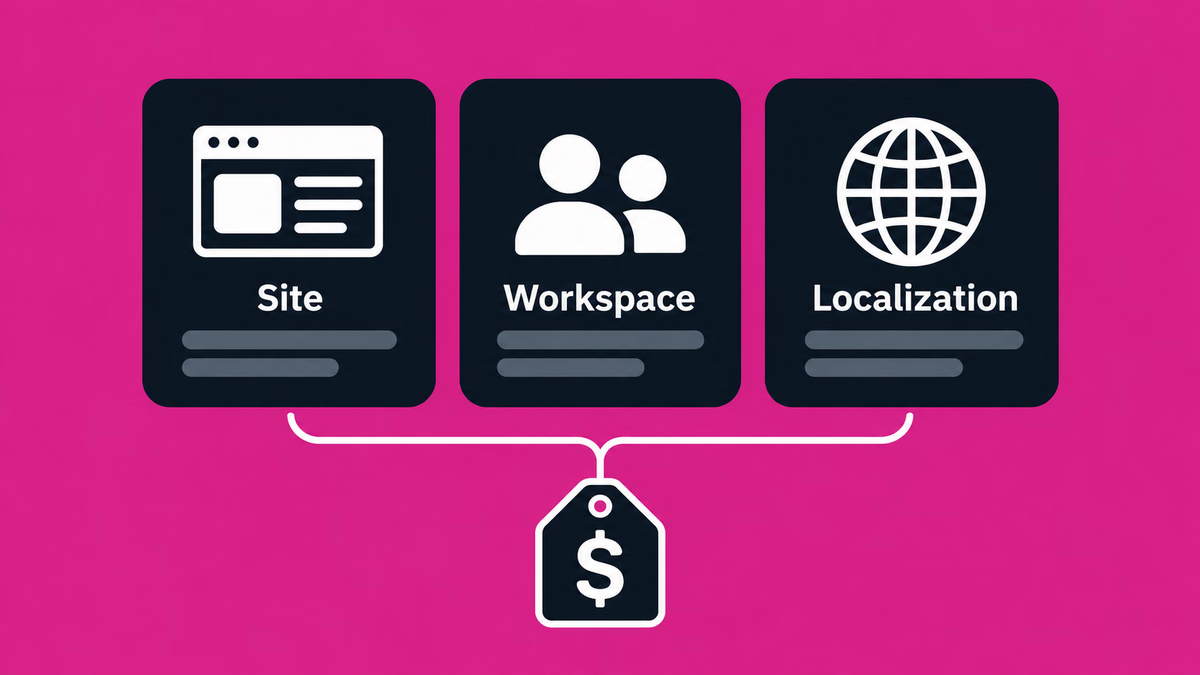
Table of contents
Webflow changed its pricing on May 13, 2026. The CMS and Business plans were merged into a new Premium plan, the Basic plan’s price changed, and a new Team plan was added above them. Every Workspace plan now includes AI credits.
This article sorts out the current plans and how to choose between them, based on Webflow’s official pricing page and Help Center articles as of November 2026. All prices are in US dollars, excluding tax.
If you already have a Webflow site: sites in Freelancer or Agency Workspaces, and sites on legacy pricing from 2022 or earlier, move to the new prices at their next renewal on or after November 16, 2026, or earlier if you make a billable change on or after that date. All other existing sites have been moving at renewal since June 29, 2026. If you switch from monthly to yearly billing before the new prices apply to your site, you keep your current plan for one more year (source: Webflow Help, “Updated pricing and simplified plans for May 2026”).
How Webflow pricing is structured in 2026
Webflow pricing is split into three kinds of plans, each for a different purpose.
| Type | What you pay for | Main plans |
|---|---|---|
| Site plans | Publishing, hosting and site features for one site | Starter (free), Basic, Premium, Ecommerce |
| Workspace plans | The place where you build and manage sites, and team collaboration | Starter (free), Core, Growth, Freelancer, Agency |
| Platform plans | A site, a Workspace and add-ons in one contract | Team, Enterprise |
Every Webflow account comes with a free Workspace plan. To publish a site on your own domain, that site needs a paid Site plan. You only need a paid Workspace plan if you want more staging sites or team features.
Prices are shown per site, and tax is added at checkout. Yearly billing is up to 40% cheaper than monthly billing.
What changed in the May 2026 pricing update
The CMS and Business plans became the Premium plan
The core of the update is the merger of the CMS and Business plans. The new Premium plan costs $25/month billed yearly or $39/month billed monthly.
- Coming from the CMS plan: the price goes up, but CMS items rise from 2,000 to 20,000, CMS Collections from 20 to 40, and static pages from 150 to 300. Form file uploads are also included.
- Coming from the Business plan: the price goes down and CMS items rise from 10,000 to 20,000. Included bandwidth, however, drops from 100 GB to 50 GB. Sites that went over 50 GB in the past two billing months get bandwidth add-ons automatically.
- CMS item add-ons: these have been retired. If you had one on a Business plan, its cost is removed at renewal.
For a Business site that uses a lot of bandwidth, the added bandwidth can make the total go up or leave it unchanged. Webflow provides a pricing change calculator so you can check the effect on your site.
The Basic plan rose to $15/month billed yearly or $25/month billed monthly, and its static page limit went from 150 to 300. The Ecommerce plans were not changed in this update.
When existing sites move to the new prices
| Who | When the new prices apply |
|---|---|
| New Site plan purchases | From May 13, 2026 |
| Existing sites (other than below) | At the next renewal or billable change on or after June 29, 2026 |
| Existing sites in Freelancer or Agency Workspaces, and sites on legacy pricing from 2022 or earlier | At the next renewal or billable change on or after November 16, 2026 |
A billable change means upgrading or downgrading the Site plan, or switching between monthly and yearly billing. Existing CMS and Business plans move to Premium automatically at the first renewal after the date that applies to them.
Switching from monthly to yearly billing before the new prices apply keeps your current plan for another year. If you manage sites that move on November 16, it is worth checking with your clients soon.
Site plan pricing and limits
| Starter | Basic | Premium | |
|---|---|---|---|
| Billed yearly (per month) | Free | $15 | $25 |
| Billed monthly (per month) | Free | $25 | $39 |
| Publish to | webflow.io only | Custom domain | Custom domain |
| Static pages | 2 | 300 | 300 |
| CMS items | 50 | None | 20,000 |
| Bandwidth (per month) | 1 GB | 10 GB | 50 GB to 2.5 TB |
| Form submissions | 50 | Unlimited | Unlimited |
Starter (free)
Every new site starts on the free Starter plan. You can only publish to a webflow.io subdomain, with 2 static pages, 50 CMS items, 1 GB of bandwidth a month and 50 form submissions.
That is enough for prototypes and practice, but a company site on its own domain needs a paid plan.
Basic
Basic costs $15/month billed yearly or $25/month billed monthly. You can connect a custom domain and get 300 static pages, 10 GB of bandwidth a month and unlimited form submissions. Site-wide password protection and custom code are included. You buy the domain separately and connect it to Webflow.
Basic does not include the CMS. It is not suited to sites where you keep adding posts, such as a blog or news section, and is meant for landing pages and simple sites that rarely change.
Premium
Premium costs $25/month billed yearly or $39/month billed monthly. On top of everything in Basic, it adds the CMS (20,000 items, 40 Collections), site search, form file uploads (up to 10 MB per file), code components and hosting for well-known files.
It includes 50 GB of bandwidth a month, which you can raise to 2.5 TB with add-ons.
| Extra bandwidth | Total bandwidth | Billed yearly (per month) | Billed monthly (per month) |
|---|---|---|---|
| +50 GB | 100 GB | +$20 | +$30 |
| +100 GB | 150 GB | +$40 | +$60 |
| +250 GB | 300 GB | +$100 | +$150 |
| +450 GB | 500 GB | +$174 | +$260 |
| +950 GB | 1 TB | +$374 | +$560 |
| +2.45 TB | 2.5 TB | +$974 | +$1,460 |
Surge protection covers temporary traffic spikes, but going over the limit two months in a row triggers an automatic plan upgrade.
Team and Enterprise
The Team plan is a new Platform plan for teams that have outgrown the self-serve plans but do not need Enterprise. It costs $2,500/month and is only available on an annual contract. It includes one site and a Workspace with:
- 5 full seats and 5 limited seats (up to 100 free seats)
- Webflow Localize with 2 locales
- 20,000 CMS items, 100 CMS Collections and 500 static pages
- Up to 30 TB of bandwidth and 100,000 AI credits a year
- AEO agents, publishing workflows, single-page publishing, and the site activity log and API
The Enterprise plan is quoted individually. It supports SSO, just-in-time provisioning, SCIM, custom roles and granular access controls, with a 99.99% hosting uptime SLA for published sites (99.00% on Team).
Ecommerce plans
To sell products on your site, choose an Ecommerce plan. Prices are the same as before the update.
| Standard | Plus | Advanced | |
|---|---|---|---|
| Billed yearly (per month) | $29 | $74 | $212 |
| Billed monthly (per month) | $42 | $84 | $235 |
| Ecommerce items (products, variants and categories) | 500 | 5,000 | 15,000 |
| Webflow transaction fee | 2% | 0% | 0% |
| CMS items | 2,000 | Up to 10,000 | Up to 10,000 |
| Bandwidth (per month) | 50 GB | 100 GB | 100 GB |
Payments run through Stripe and PayPal. The 2% transaction fee on Standard is charged on top of Stripe or PayPal processing fees. Plus and Advanced let you remove Webflow branding from transaction emails.
Workspace plans and seat pricing
For teams (Starter, Core, Growth)
| Starter | Core | Growth | |
|---|---|---|---|
| Billed yearly (per month) | Free | $19 | $49 |
| Billed monthly (per month) | Free | $28 | $60 |
| Staging sites | 2 | 10 | Unlimited |
| Pages per staging site | 2 | 300 | 300 |
| AI credits (per month) | 200 | 300 | 400 |
Every Workspace plan can hold any number of sites on paid Site plans. Staging sites are free sites you build and review on webflow.io without a paid Site plan; once a site gets a paid plan, it no longer counts toward the limit.
- Starter: includes 1 full seat. You can invite agency or freelancer guests for free, up to 2 teams of 5.
- Core: adds custom code, code export and Shared Libraries.
- Growth: unlimited staging sites, plus site-specific access, site-level roles and publishing permissions.
For freelancers and agencies (Freelancer, Agency)
| Starter | Freelancer | Agency | |
|---|---|---|---|
| Billed yearly (per month) | Free | $16 | $35 |
| Billed monthly (per month) | Free | $24 | $42 |
| Staging sites | 2 | 10 | Unlimited |
| Free client seats | 1 per paid site | 1 per site | 3 per site |
| AI credits (per month) | 200 | 300 | 400 |
On the Freelancer plan you can join client Workspaces as a guest for free and use the full CMS on staging sites. Clients can also add their own card to pay for Site plans and other add-ons. The Agency plan adds unlimited staging sites and Shared Libraries, site-level roles and publishing permissions.
As noted above, existing sites in these Workspaces move to the new Site plan prices at renewal on or after November 16, 2026.
Seats (Full, Limited, Free)
A Workspace plan includes one full seat for the owner. To add members, you buy more seats.
| Seat | What it allows | Billed yearly (per seat, per month) | Billed monthly (per seat, per month) |
|---|---|---|---|
| Full | Design full sites and manage admin settings | $39 | $45 |
| Limited | Edit content and build pages with components | $15 | $19 |
| Free | Review and comment | $0 | $0 |
For team members who only update posts or copy and never touch the design, a Limited seat keeps costs down.
AI credits
AI credits measure how much you use Webflow AI features. Each month, a Workspace includes 200 (Starter), 300 (Core, Freelancer) or 400 (Growth, Agency). If you need more, 2,000 extra credits a month cost $20/month billed yearly or $25/month billed monthly.
Add-ons (Localize, Analyze, Optimize)
Add-ons are added to a site on a paid Site plan.
| Add-on | Billed yearly (per month) | Billed monthly (per month) | What you get |
|---|---|---|---|
| Localize Essential | $9 per locale | $12 per locale | Up to 3 locales; AI translation of 10,000 words per locale per month |
| Localize Advanced | $29 per locale | $35 per locale | Up to 10 locales; AI translation of 50,000 words per locale per month |
| Analyze | From $9 | From $12 | Priced by sessions (from 2,000 sessions a month) |
| Optimize | From $299 | From $379 | Priced by page views (from 25,000 page views a month) |
Webflow Localize is the add-on for multilingual sites, charged per added language (locale). Even Essential covers translating CMS and static content, localized SEO settings and per-locale style adjustments. Advanced adds per-locale images, localized URLs and automatic routing based on the visitor’s browser language. Per-locale element visibility and drafting a page for a single locale are Enterprise features.
One caveat: on a site with both Ecommerce and Localize enabled, products, categories and Ecommerce pages cannot be localized.
Analyze shows traffic and page engagement on your site, and Optimize is for A/B testing and personalization.
Billing and cancellation rules
- Currency and tax: prices are shown in USD, per site, with tax added at checkout.
- Yearly vs. monthly: yearly billing is up to 40% cheaper.
- Cancellation: you can cancel Site and Workspace plans at any time, but you still pay for the rest of the term you signed up for.
- Bandwidth overages: going over the limit two months in a row triggers an automatic plan upgrade.
- Free Workspaces: each customer can have one free Workspace.
Which plan should you choose?
The right plan depends on the number of pages, how you update the site, how much traffic you get and how many people edit it. As a rough guide:
- Landing pages or company sites that rarely change: if you do not need the CMS, Basic is worth considering.
- Sites where you regularly add blog posts, news or case studies: these need the CMS, so Premium is the candidate. If you expect a lot of traffic, budget for bandwidth add-ons too.
- Sites that sell products online: you need an Ecommerce plan. Compare the number of items you need against Standard’s 2% transaction fee.
- Multilingual sites: if you use the CMS, add Localize to Premium. Choose Essential or Advanced based on how many languages and which features you need.
- Marketing teams or several editors: add Workspace seats; members who only edit content can use Limited seats. If you also need approval workflows, publishing permissions and localization in one package, the Team plan is worth comparing.
How this relates to Supasaito’s services
Webflow Site and Workspace plan fees are paid by you directly to Webflow. They are not included in Supasaito’s development or support fees and are charged separately. Your site and its hosting plan can sit in your own Webflow Workspace, and we work in it as your partner.
- To build a new Webflow site, see Webflow development.
- To hand over updates and improvements after launch, see Webflow support.
- To move from WordPress, see WordPress to Webflow.
- To discuss translating and running a multilingual site, see Localization.
Which plan fits depends on your site’s structure, page count and team setup. In a call we go through your requirements and explain which plans to consider.
Frequently asked questions
- Can I publish a Webflow site for free?
-
Yes. The free Starter plan lets you publish to a
webflow.iosubdomain. It is limited to 2 static pages, and publishing on your own domain requires a paid Site plan. - How much does Webflow cost in Japanese yen or other currencies?
-
Webflow’s pricing page lists prices in US dollars. The amount you pay in yen or another currency depends on the exchange rate, so check the amount at the time you sign up.
- What happens to my current CMS or Business plan?
-
It moves to Premium automatically at your next renewal or billable change on or after the date that applies to your site (June 29, 2026 for most sites; November 16 for sites in Freelancer or Agency Workspaces and sites on legacy pricing from 2022 or earlier). Switching from monthly to yearly billing before then keeps your current plan for one more year.
- Do I need both a Site plan and a Workspace plan?
-
You need a Site plan to publish on your own domain. Because the free Starter Workspace can hold paid sites, consider a paid Workspace plan only if you want more staging sites or team features.
- If Supasaito builds my site, are Webflow plan fees included?
-
No. Webflow Site and Workspace plan fees are paid to Webflow separately.
Sources
Checked on November 9, 2026.