Google Now Scores Whether AI Agents Can Use Your Website — Here's What Agentic Browsing Checks

An unfamiliar line — “Agentic Browsing” — just appeared in your PageSpeed Insights (PSI) report. Or maybe “AI agents” came up in a planning meeting and you went to find out what it meant. Either way, you’ve run into the same thing: Google has turned “can AI agents use your website” into a public, checkable score.
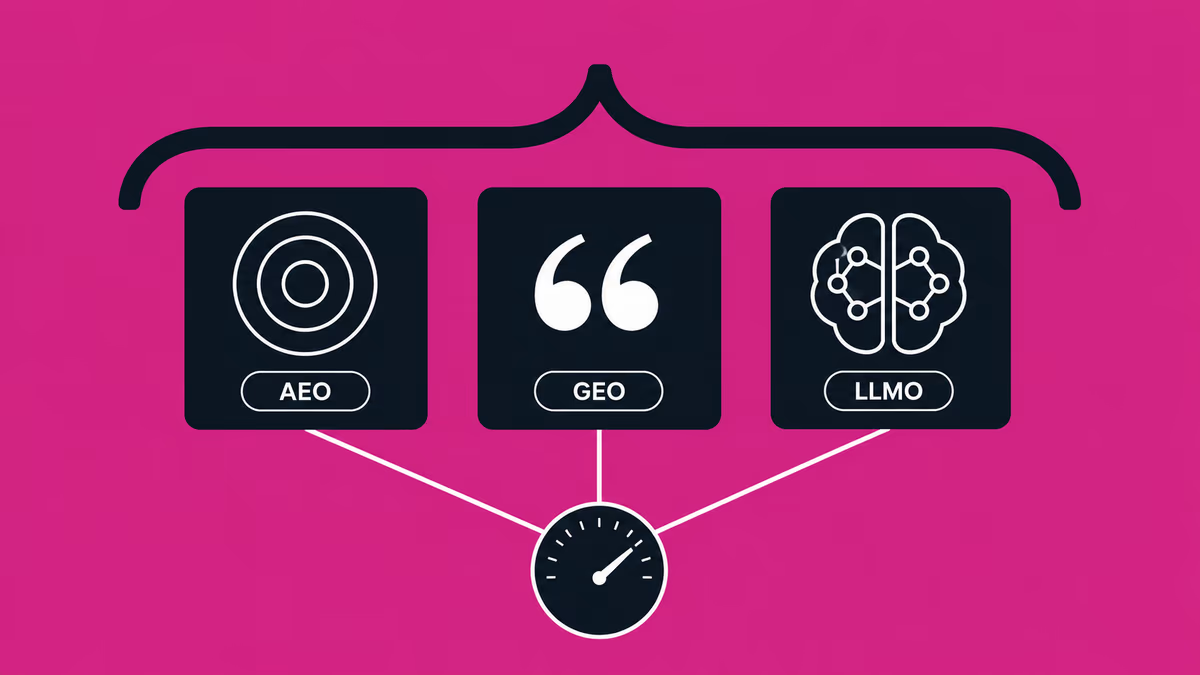
This article covers what Agentic Browsing measures, what each of its four audits means and how to fix it, and how to check your own site in 60 seconds — from a marketer’s point of view, not an engineer’s. For the terminology (how AEO, GEO and LLMO differ), see our AIO glossary.
The short answer: “is your site usable by AI?” is now a score
Up front: Agentic Browsing is a new category that scores — mechanically — whether an AI agent (an AI that reads and operates a site on a person’s behalf), not a human and not a search crawler, can understand and operate your site. Passing it is becoming table stakes.
What Agentic Browsing is
Agentic Browsing is a new audit category in Lighthouse (the engine behind PSI). It was added in Lighthouse 13.3 (May 2026) and now shows up in PSI reports too (Chrome for Developers documentation).
Where a traditional SEO audit asks “can a search engine index this,” Agentic Browsing asks “can an AI agent understand this page and operate it — submit forms, click things.”
The scoring is distinctive. Instead of a 0–100 score like Performance or SEO, it’s shown as a fraction — passed checks over total checks (e.g. 3/3). Because the rules of the agentic web aren’t settled as a web standard yet, the category is deliberately experimental: its job is to surface signals about where you stand, not to rank you. The flip side: an ordinary site with no AI features added can still pass the basic checks — the trap is failing one and not noticing.
The four audits: what each checks, why it matters, how to fix it
Today, Agentic Browsing audits four areas.
| Audit | What it checks | Why it matters | How to fix |
|---|---|---|---|
| llms.txt | Whether an llms.txt (an AI-facing site summary) exists at the domain root — and whether it has an H1, enough content, and links | The “map” agents use to grasp your whole site fast | Ship an llms.txt listing key pages and a summary (supasaito.com already serves /llms.txt) |
| Accessibility tree | Whether buttons, links and forms have proper names (labels) and roles, with an intact hierarchy | Agents perceive a page through the accessibility tree, not the screen. An unnamed button doesn’t exist to an agent | Give every interactive element a label and a valid HTML/ARIA role |
| WebMCP | Whether forms and features are explicitly exposed to agents via WebMCP annotations | Lets an agent operate an input without guessing what it’s for | Annotate forms with WebMCP (note: an experimental spec — not required today) |
| Layout stability (CLS) | Whether the layout shifts while loading (Cumulative Layout Shift) | Agents that screenshot and click misfire on a shifting layout | Curb the shifts caused by images, ads and font loading |
Of the four, the two most sites should address first are the accessibility tree and CLS. Accessibility has long been framed as a courtesy; Agentic Browsing finally gives it a revenue face — “usable by an agent” means “not losing a deal nobody sees.” WebMCP is still experimental, so there’s no need to rush it in.
Why a marketer should care now
The step after “does AI recommend us” in AI search is AI agents autonomously working through your site — comparing vendors, reading the pricing page, submitting the inquiry form on a buyer’s behalf. If those agents can’t parse your site, you lose the deal invisibly. It’s the same “invisible influence” as zero-click AI search, now playing out at the interaction layer.
And this isn’t far off. In Japan, roughly 37% of people now use AI when they search (over 50% among people in their twenties) (CyberAgent GEO Lab. “AI Search Usage Survey wave-3,” Feb 2026, n=9,278). Yet while 90.8% of marketers say they’re aware of the risk from AI search (WILLGATE survey, 2025), only about 8% of companies have actually started (PRIZMA survey, 2025). That gap between awareness and action is the opening for whoever moves first.
Proof: supasaito.com’s Agentic Browsing score
Here’s our own site, as evidence. Measured on 8 July 2026, on mobile, supasaito.com scored 100 on Performance, Accessibility, Best Practices and SEO, and 3/3 on Agentic Browsing (TBT 0 ms, CLS 0, FCP 0.9s, LCP 1.8s, Lighthouse 13.4).
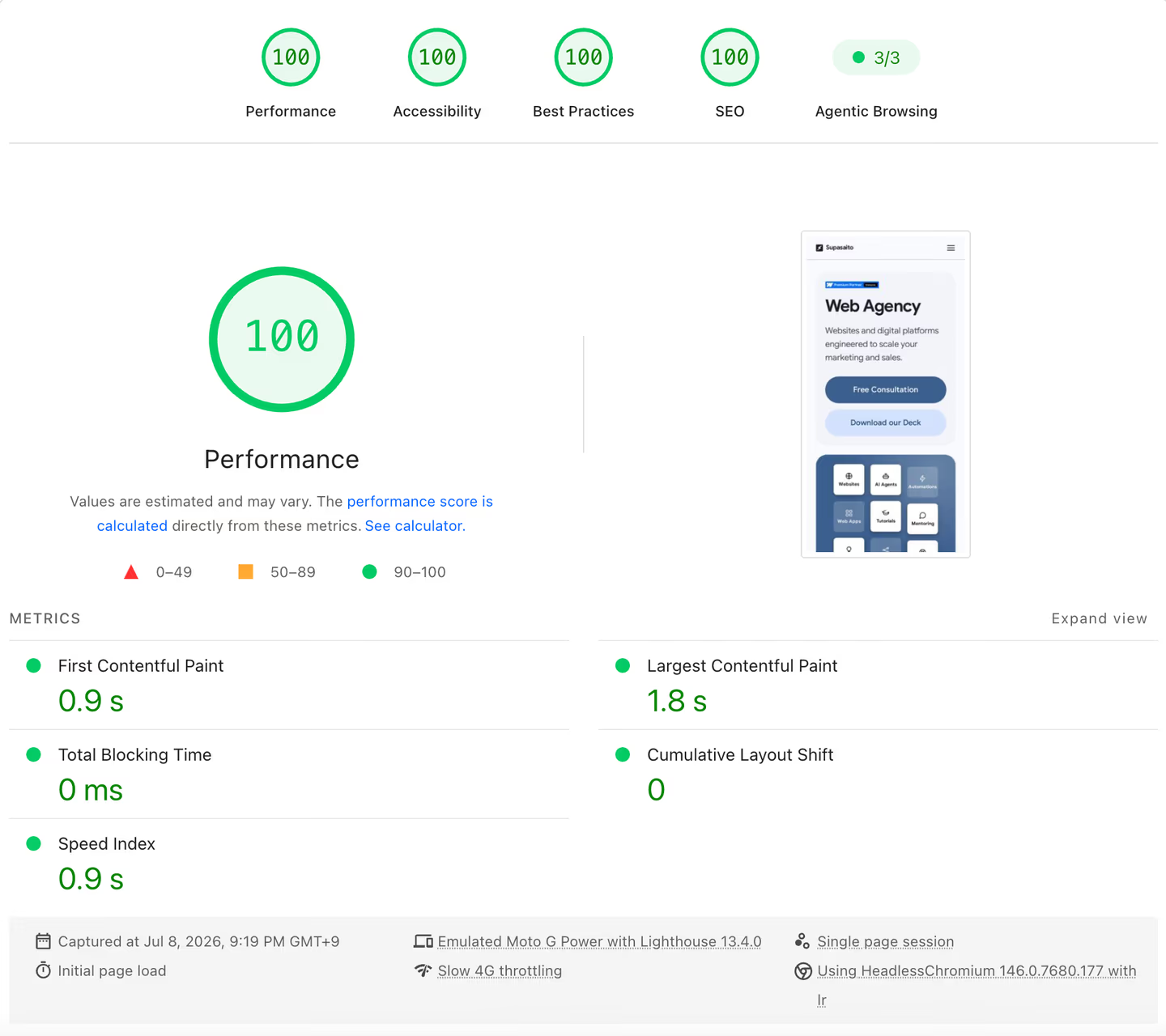
For honesty’s sake: scores wobble a little run to run (roughly 95–100). Read this as “the figure on that day,” not “always 100.” You can run PageSpeed Insights on supasaito.com yourself to check.
Why does it come out this way? One reason: we build sites to be read by machines by default. That’s the same discipline we sell to clients as AI-visibility work — choose the right technology for the goal, and engineer structure, speed and machine readability in from the start. This number is the by-product of that.
A 60-second self-check
Start by learning where you stand. The steps are simple.
- Open PageSpeed Insights, enter your site’s URL, and run it.
- Open the “Agentic Browsing” category in the results.
- Translate any failing audit into its business meaning with the guide below.
- No llms.txt → you haven’t handed AI a “map” of your site; it’s harder for it to grasp the whole picture.
- Accessibility-tree warnings → buttons or forms are unnamed / role-less. Agents fail to operate them — they can’t complete an inquiry or purchase for the user.
- High CLS → the screen jitters and the agent’s clicks land wrong. It’s degrading the human experience at the same time.
Give it 15 minutes alongside our self-check for why your brand doesn’t show up in AI search, and you’ll know where you stand on both “can machines read me” and “what does AI say about me.”
Deciding which items to fix first, and seeing how a fix shows up in the AI’s answers, means asking the AI. Our free AI Visibility Audit measures two engines — ChatGPT and Google AI Overviews — across 15 questions generated for your industry, three samples each, and hands you where you stand. It is a single measurement: it carries no trend. Making a site readable to AI in the first place is part of our GEO service, and the AIO and LLMO overview shows how that fits the wider programme.
Get your free AI visibility audit →
Don’t stop at a one-off run
PSI is handy, but it’s a single snapshot of the moment you press the button. In practice, every time you ship a change or update the site, you’ll want to keep confirming that machine readability holds. That continuous measurement is automatable — a tool like Supasaito, which we co-develop, can track site-audit scores (page speed, AI readability) continuously rather than as a one-off PSI run.
But a tool gives you pass/fail and a number. Deciding which warning is fatal to your revenue, and what to fix first, is human work. Measurement shows where you stand; the diagnostic explains why and what to do — and that division of labor is what turns a new metric like Agentic Browsing into an outcome.
The bigger frame: machine readability, from faith to a score
What Agentic Browsing really does is take something AI-visibility work has always dealt with — machine readability is measurable, and it sits upstream of being recommended — and have Google formalize it as a public score.
But passing is only the starting line. Even once agents can read your site, what the AI then says about you — whether it recommends you or names your competitors — is an entirely separate question. Agentic Browsing is the first layer (can it read you); AI visibility is the second (what it says). Two layers of the same AI funnel.
“Our site is easy for AI to read” was, until now, mostly an unverifiable claim. Now it’s a score anyone can check. Make yourself readable first; then build the reasons to be chosen once you’re read. Get the order right and the AI-era “shelf” becomes yours.
FAQ
What is Agentic Browsing?
It’s an audit category added to PageSpeed Insights (Lighthouse) in May 2026 (Lighthouse 13.3) that scores, mechanically, whether AI agents can understand and operate your site. Unlike Performance or SEO it isn’t a 0–100 score — it’s shown as a fraction (passed over total, e.g. 3/3). For now it audits four areas: llms.txt, the accessibility tree, WebMCP and layout stability (CLS). It’s still experimental.
Does a low score hurt my SEO rankings?
As of this writing there’s no published information that the Agentic Browsing score directly affects search rankings (verify, as this may change). The real risk isn’t rankings — it’s that an AI agent comparing vendors or filing an inquiry on a buyer’s behalf can’t operate your site and the deal is lost. Treat it as a lost-opportunity problem, not a ranking one.
Do I need an llms.txt?
It’s one of the audited items and there’s little downside to having one. It acts as a map that lets AI agents grasp your whole site quickly (supasaito.com serves one). The audit checks whether the file exists, has an H1, has enough content, and contains links. It’s relatively easy to add — a high-return first step.
Can we do this ourselves?
Some of it, yes. Adding an llms.txt and clearing obvious CLS (screen jitter) are things a team can start on. Sorting out the accessibility tree (assigning correct roles and labels), and prioritizing which of many warnings actually move revenue, are where specialist judgment comes in. A realistic path: measure where you stand with PageSpeed Insights first, then bring in outside help only for the fatal items.